Bin Dowal Pay Wallet
Pay and transfer easily... without cash
Overview
Overview
Bin Dowal Pay wallet allows you to perform daily financial transactions in an easy and secure digital way. Through the wallet, you can transfer money, make electronic payments at widely distributed points of sale, and manage your financial transactions easily via mobile phone without carrying cash.
Why this Service?
Why Choose Bin Dowal Pay Wallet?
Because daily transactions now require faster and easier solutions.
Features
Features of Bin Dowal Pay Wallet
Easy Money Transfer
Ability to send and receive money to wallet subscribers or through the transfer service quickly and securely.
Electronic Payment
Execute payment transactions for services and purchases via POS at more than 15,000 active points.
Reduced Cash Dependency
Using the wallet as a practical alternative to cash in daily transactions, with the ability to deposit and withdraw via bank branches and agents.
Ease of Use
A simple interface that helps customers execute transactions easily.
Recharge & Payment Services
Recharge mobile and internet balance, and pay utility bills like water and electricity.
24/7 Available Services
Access the wallet and financial services at any time.
Security & Protection
Protection systems that help secure accounts and financial transactions.
Transaction Management via Phone
Execute various financial transactions directly from your mobile phone.
Target Audience
Target Audience
Requirements
Bin Dowal Pay Wallet Terms of Use
- An active mobile number
- Registration in the e-wallet
- Agreement to the terms of use
- Meeting activation requirements according to bank policy
Steps
Steps to Use Bin Dowal Pay Wallet
Download the App or Register
Install the app from the official store or start registration via available channels.
Enter Required Details
Enter your personal details and mobile number to fill the registration form.
Activate the Wallet
Complete the verification and activation steps to start using the wallet securely.
Start Paying & Transferring
Top up your wallet balance and start performing transfers and payments with ease.
FAQs
Frequently Asked Questions
Get Started Now
Use Bin Dowal Pay wallet today and enjoy a faster and easier way to manage your financial transactions and electronic payments inside Yemen
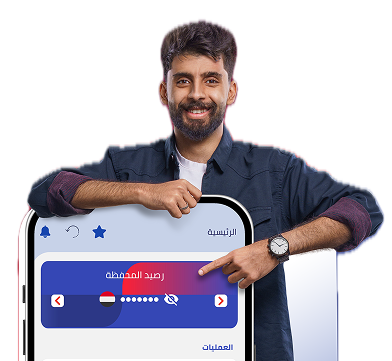
All Your Banking Services at Your Fingertips
Bin Dowal Pay brings all your banking needs together in one place. Transfer, pay, monitor, and manage your accounts with ease and security — anytime, anywhere.
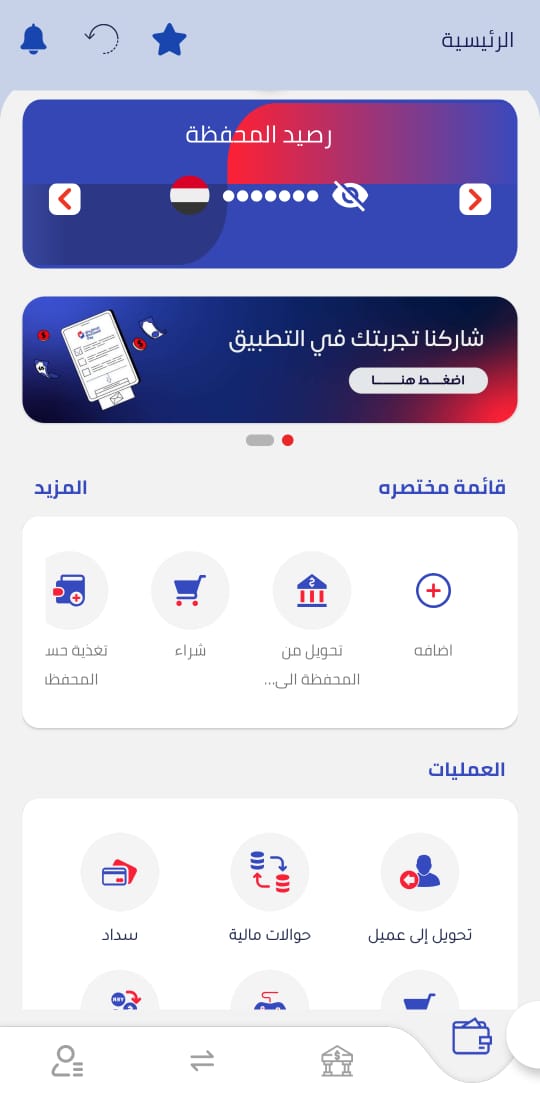
Home & Quick Actions
Check your balance and execute transfers, purchases, and payments fast from one screen.